How Do I Revoke Authorities After Creating My SPL Token?
Already created your Solana SPL token? Revoke mint, freeze or update authority in two minutes: connect the creator wallet, scan the mint, click revoke, sign.
Yes, you can revoke your token's authorities after it's created. Connect the wallet that created the token to our free Manage Token page, scan your mint address, click Execute revoke and approve the transaction. It takes about two minutes and costs only the Solana network fee.
TL;DR
- You can revoke mint, freeze and update authority at any time after creating your token.
- You need the wallet that holds the authority. Usually that's the wallet you created the token with.
- Each authority is revoked separately, so you can keep some and drop others.
- It's free. You pay only the network fee (0.000025 SOL in our example).
- Revoking is permanent. Nobody can undo it, including you.
This guide covers only the how. To decide which authorities to revoke, read why you should revoke mint and freeze authority first.
Step 1: Connect Your Wallet
Go to the Manage Token page and click Select Wallet in the top right corner.
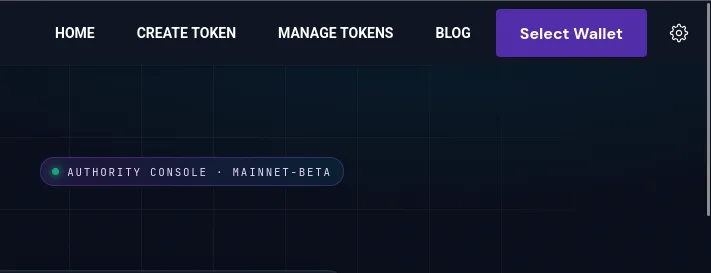
Click Select Wallet on the Manage Token page
Pick the wallet you created the token with. Only the wallet that holds an authority can revoke it.
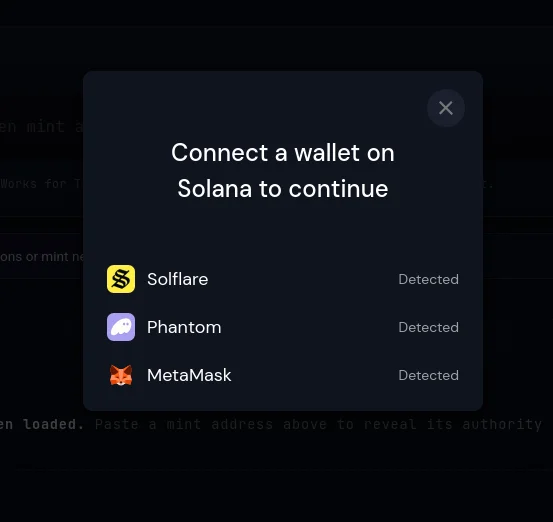
Choose the wallet that created your token
Step 2: Scan Your Token
Paste your token's mint address into the box and click Scan. The page reads the token straight from the chain.
Under Authorities you'll see a card for mint, freeze and update authority. Every card marked You control has an Execute revoke button.
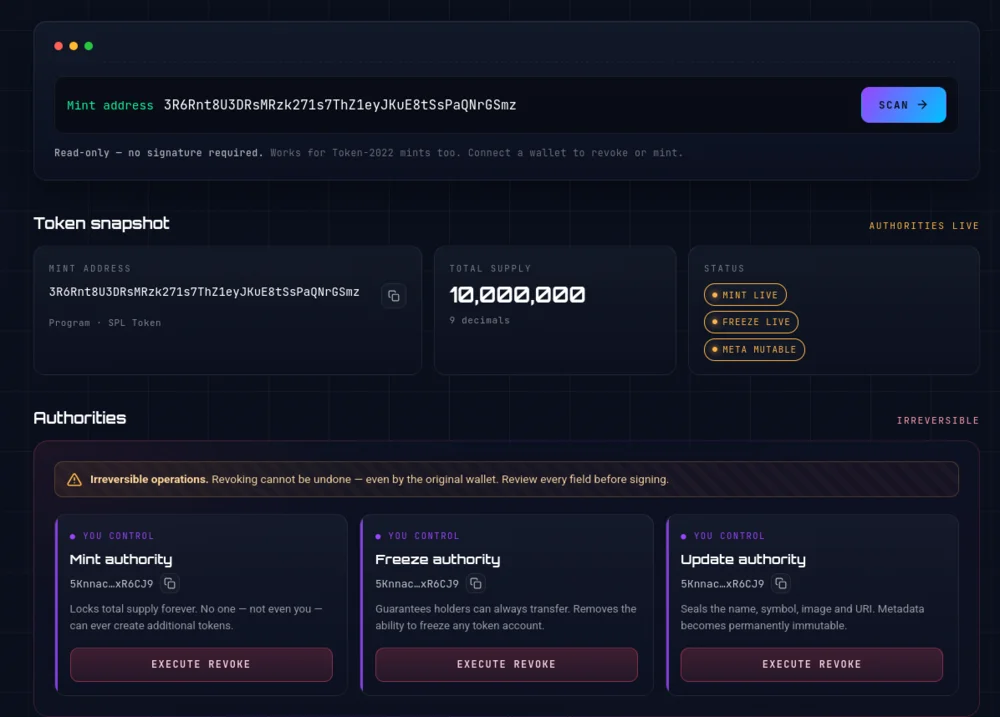
Token dashboard before revoking: mint, freeze and update authority are all live
Step 3: Click Execute Revoke and Sign
Click Execute revoke on the authority you want to give up. Your wallet opens and asks you to approve the transaction.
Check the network fee, then click Approve. Your wallet may warn you about sites it doesn't recognize. Before you approve, check that the address bar says soulminter.io.
Step 4: Check That It Worked
After the transaction confirms, the card changes to Revoked and shows Authority is null. The status badge at the top also flips, for example from Mint live to Mint locked.
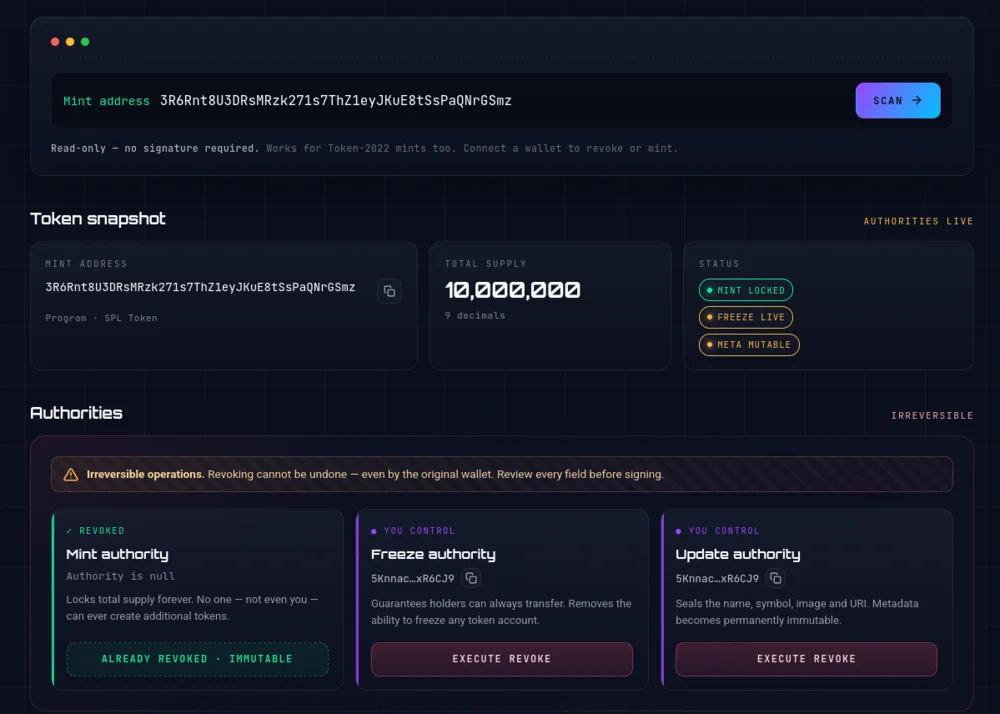
Token dashboard after revoking: mint authority is revoked and the status shows Mint locked
Want to revoke freeze or update authority too? Repeat step 3 on that card. Each one is its own transaction.
Good to Know
- There's no undo. Revoking sets the authority to nobody through Solana's
SetAuthorityinstruction. Double-check the mint address before you sign. - No button? The connected wallet doesn't hold that authority, or it was already revoked.
- Token-2022 works too. The same page handles classic SPL tokens and Token-2022 mints.
- Haven't launched yet? Our token creator lets you revoke authorities during setup, so you skip this step entirely.
Disclaimer
This guide is for educational purposes only and is not financial, legal, or investment advice. Revoking an authority is permanent and irreversible. Always double-check the mint address before signing. SoulMinter is an independent software tool and is not affiliated with, endorsed by, sponsored by, or partnered with the Solana Foundation, Solana Labs, any wallet provider, or any other third party mentioned or linked in this article. All product names, trademarks, and brands are the property of their respective owners and are used for identification purposes only. Always do your own research.
How to revoke authorities on an existing SPL token
Revoke the mint, freeze or update authority of a Solana token you already created, using the free Manage Token page. You pay only the Solana network fee.
- 01
Connect the wallet that created the token
Open the Manage Token page, click "Select Wallet" and pick the wallet that holds the authority. Usually that is the wallet you created the token with.
- 02
Scan your token
Paste your token’s mint address into the search box and click "Scan." The page reads the token straight from the chain and shows every authority your wallet controls.
- 03
Click Execute revoke
Choose the authority you want to give up (mint, freeze or update) and click "Execute revoke" on its card.
- 04
Approve in your wallet
Your wallet shows the transaction and the network fee. Check the details and approve it.
- 05
Check the result
The card now reads "Revoked" and "Authority is null," and the status badge changes, for example from "Mint live" to "Mint locked."
Frequently asked questions
Can I revoke authority after my SPL token is already created?
Yes. As long as your wallet still holds the authority, you can revoke it at any time after creation. You do not need to recreate the token.
How much does it cost to revoke an authority?
The Manage Token page is free. You pay only the Solana network fee. In our example that was 0.000025 SOL, a fraction of a cent.
Do I have to revoke all authorities at once?
No. Mint, freeze and update authority each have their own button and their own transaction. You can revoke one and keep the others.
Why don't I see an Execute revoke button?
Either the connected wallet does not hold that authority, or it has already been revoked. Switch to the wallet that created the token and scan again.
Does this work for Token-2022 tokens?
Yes. The Manage Token page reads both classic SPL Token and Token-2022 mints.
Sources
- Solana Docs: Set Authorityhttps://solana.com/docs/tokens/basics/set-authority
- Solana Docs: SPL Token Basicshttps://solana.com/docs/tokens/basics
External links are provided for reference only. SoulMinter is an independent software tool and is not affiliated with, endorsed by, sponsored by, or partnered with the operators of these sites.
About the author
Share this article
Ready to Create Your Own Solana Token?
Put your knowledge into practice with SoulMinter's no-code token creation platform.
Create Token NowRelated Articles

What Is the Permanent Delegate Extension on Solana?
Solana's Token-2022 permanent delegate lets one address transfer or burn tokens from any holder's wallet. What it can do, what it can't, and who should use it.
Soulbound Tokens on Solana: The Non-Transferable Extension Explained
Solana's Token-2022 non-transferable extension makes a token permanently soulbound. It can still be minted and burned, but it can never change wallets.
What Is the Pausable Token Extension on Solana?
Solana's Token-2022 pausable extension lets a pause authority halt every transfer, mint and burn across a mint, then resume it. It can only be set at creation.